How to Create a Receipt on ReceiptWorks.com
Updated: 2026-02-05
You just sold a vintage lamp on Facebook Marketplace, your landlord wants a rent receipt yesterday, or your accountant is asking for documentation you swore you'd keep track of this year. Sound familiar? You need a receipt, and you need it now-not after a 20-minute wrestling match with a spreadsheet.
Good news: ReceiptWorks.com turns "I need a receipt" into "done" in about three clicks. Here's exactly how it works.
Step 1: Find Your Starting Point
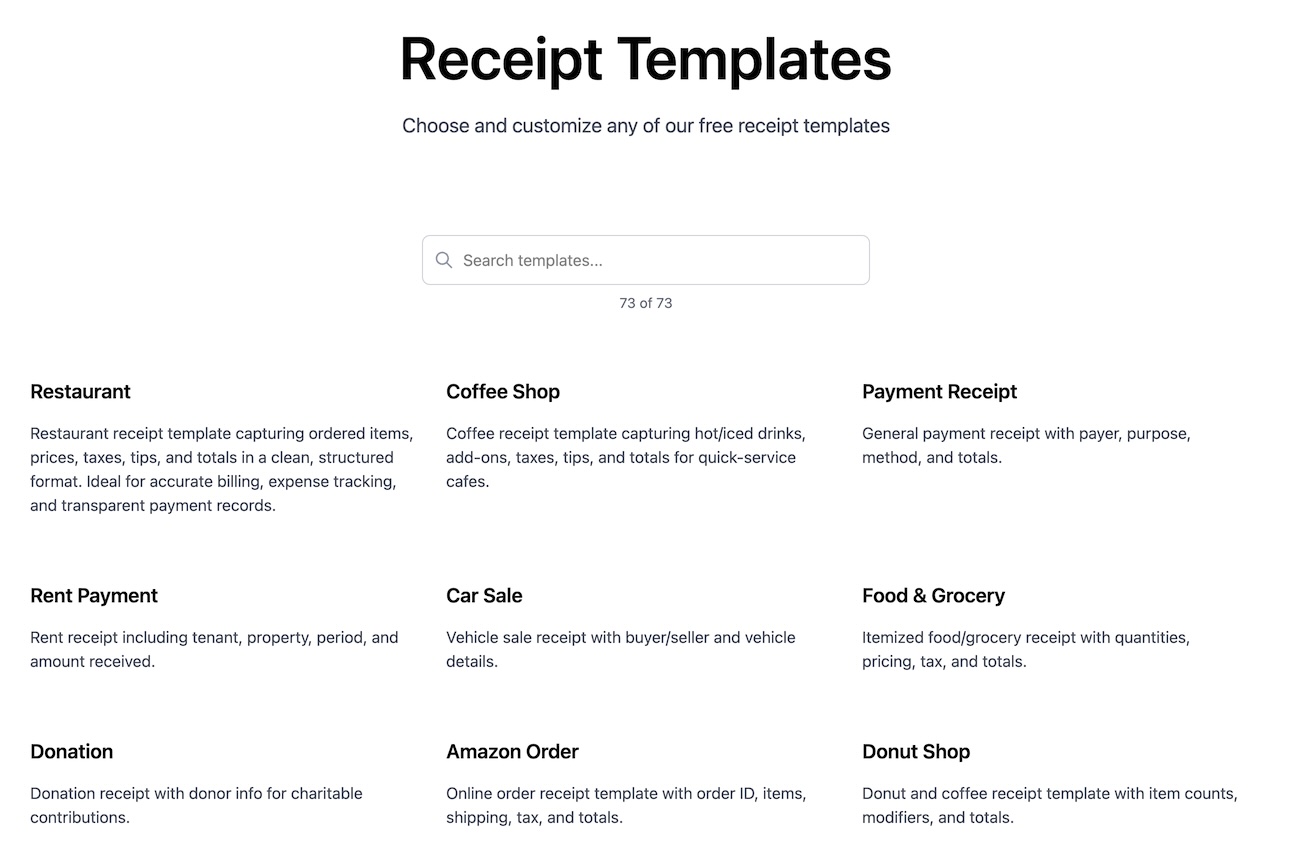
Head to our templates or examples page and browse until something catches your eye. Looking for a restaurant-style receipt? A clean retail format? A simple service payment? We've got you covered.
- Search by type: Filter by category-retail, restaurant, services, you name it
- Steal the format: Browse real-world receipt layouts to find the one that fits your situation
- Preview first: See exactly what you're working with before you commit
Spot one you like? Click it and you're straight into the editor. No account needed, no hoops to jump through.
Step 2: Make It Yours
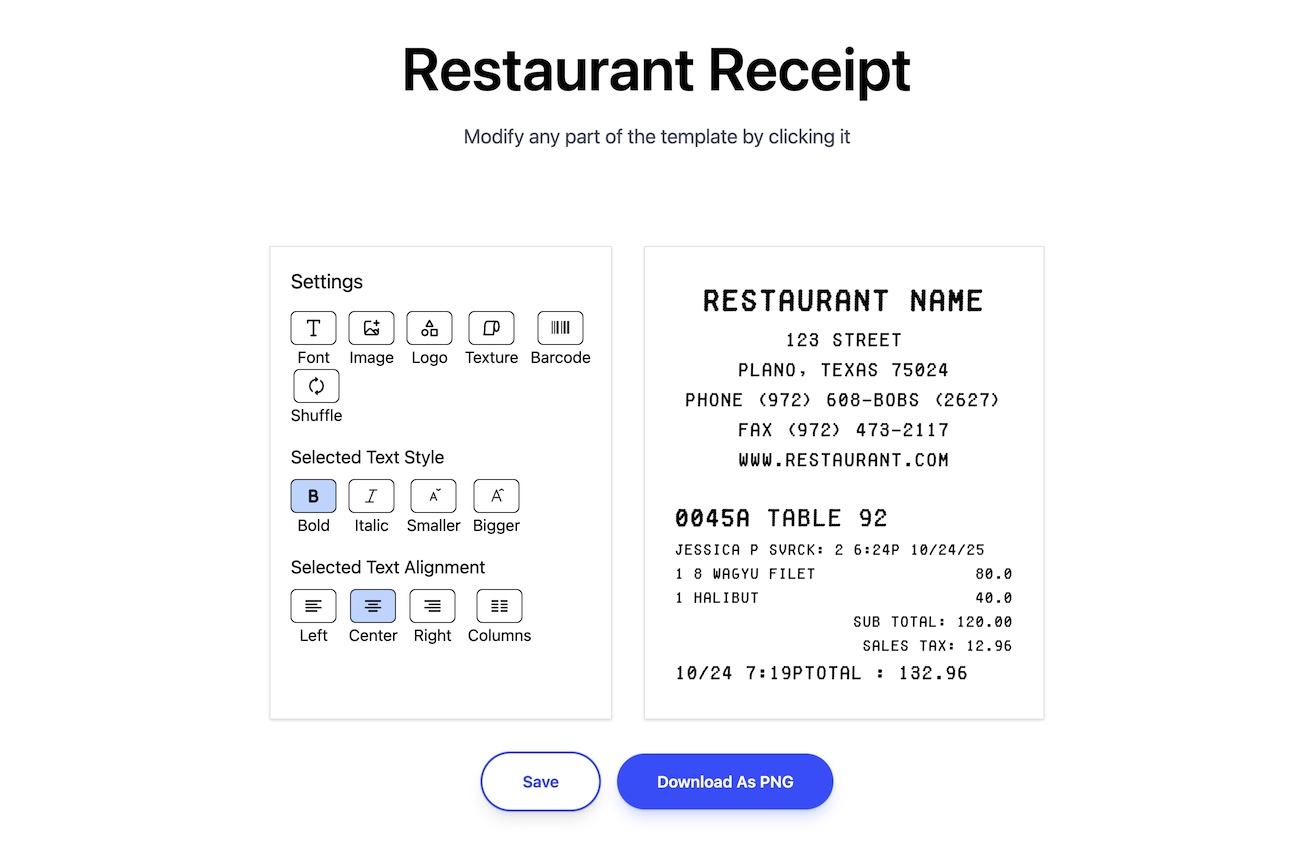
This is where the magic happens. The editor puts every field at your fingertips-just click, type, and watch your receipt come together in real time.
- Business info: Drop in the store name, address, and contact details
- Date and receipt number: Set these to match your actual transaction
- Line items: Add what was sold or paid for, with quantities and prices
- The math: Subtotals, tax, and discounts calculate automatically (no mental arithmetic required)
- Payment method: Cash, card, Venmo-whatever actually happened
- Finishing touches: Toss in a return policy, a thank-you note, or anything else you need
The live preview updates as you type, so what you see is what you get. No surprises.
Step 3: Download and Done
Happy with how it looks? Hit download. That's it. Your receipt lands on your device in seconds, ready for whatever comes next.
- Crisp and clear: High-quality output that looks the part
- Instant: No processing, no waiting, no "check your email in 5 minutes"
- Use it anywhere: Print it, email it, text it, or file it away for safekeeping
Why People Pick ReceiptWorks
- Zero signup: Just show up and start building-no email, no password, no friction
- Looks legit: Professional templates that don't scream "I made this in 30 seconds" (even though you did)
- Stupid fast: Seriously, you'll spend more time deciding what to have for lunch
- Fully flexible: Every field is editable, so your receipt matches your reality
Whether you're documenting a sale, replacing a receipt that vanished into the void, or just trying to keep your records straight, ReceiptWorks.com makes it painless. Browse our examples and see for yourself-your first receipt is a few clicks away.