How to Generate a Receipt with AI
Updated: 2026-02-09
You need a receipt. Maybe it's for a freelance gig, a private sale, or that cash payment your landlord definitely received but never documented. Normally you'd open a template, stare at a dozen blank fields, and start filling them in one by one. But what if you could just tell the tool what you need and get a finished receipt back in seconds?
That's exactly what the AI prompt on ReceiptWorks.com does. Describe your receipt in plain English, and the AI builds it for you-business name, line items, taxes, totals, the works. Here's how.
Step 1: Describe Your Receipt
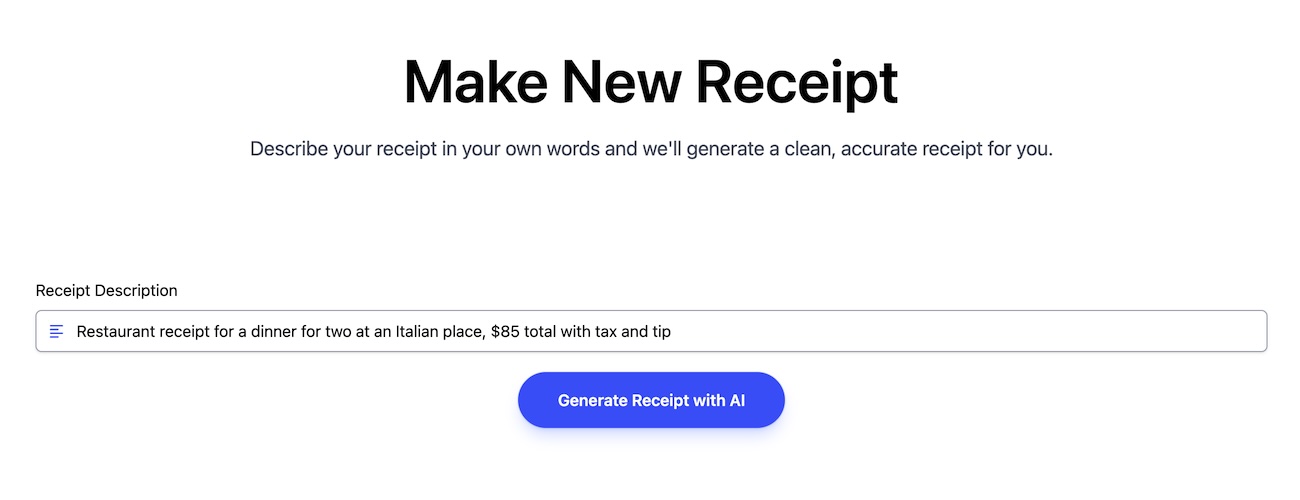
Forget browsing templates or figuring out which fields go where. Just type what you need into the AI prompt box. Be as casual or specific as you want:
- "Restaurant receipt for a dinner for two at an Italian place, $85 total with tax and tip"
- "Rent receipt for January 2026, $1,400, paid in cash"
- "Auto repair receipt-oil change and brake pads, $340 at a shop in Denver"
That's it. No dropdowns, no template hunting, no staring at a blank page wondering where to start. Just say what happened and let the AI handle the structure.
Step 2: Get Your Receipt Instantly
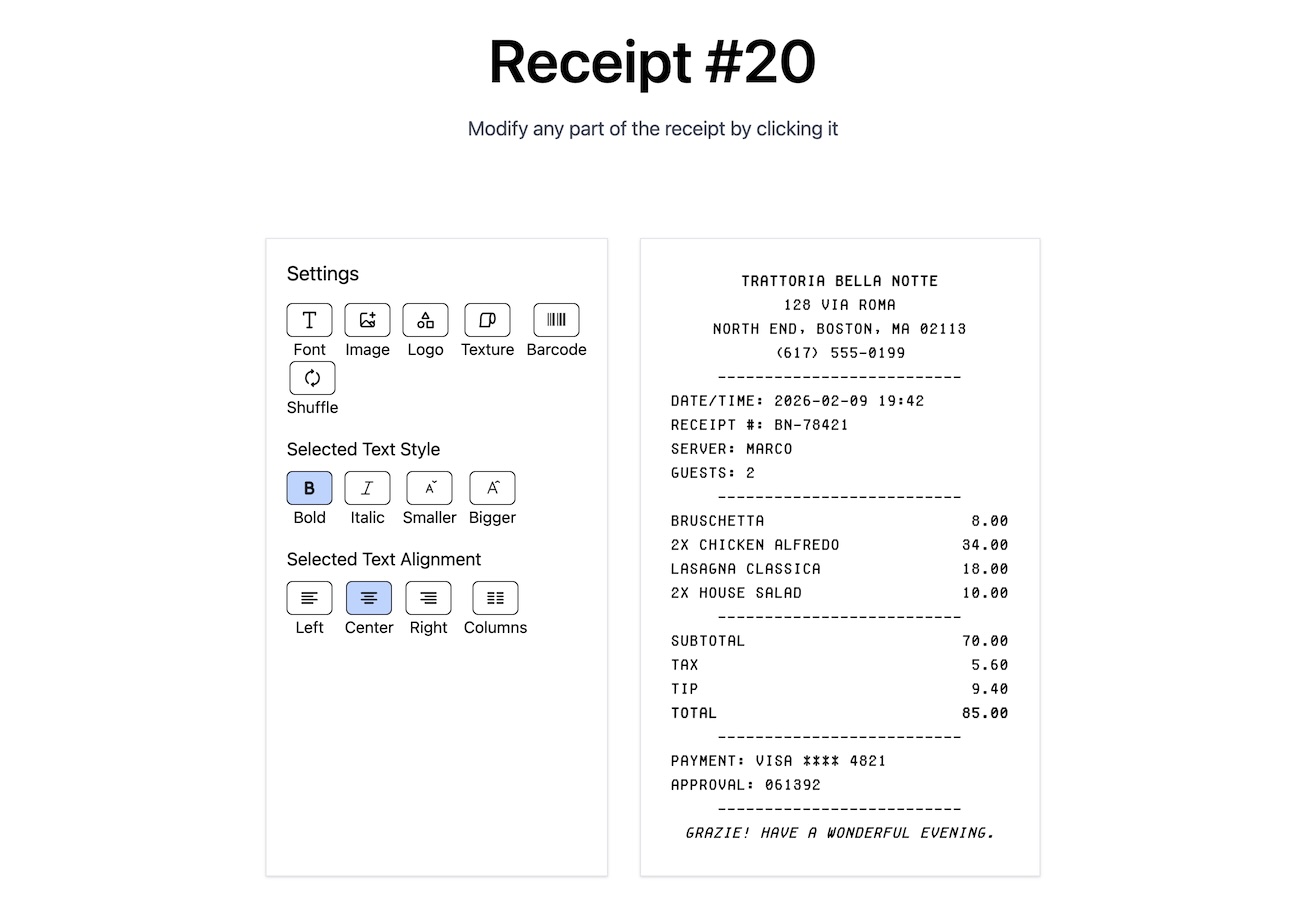
Hit generate and watch your receipt appear in the editor, fully formed. The AI fills in everything based on your description:
- Business name and details: A realistic store name, address, and phone number
- Line items: Individual products or services with quantities and prices
- The math: Subtotal, tax, tip, discounts-all calculated and laid out correctly
- Payment info: Method, date, receipt number-the finishing details that make it look complete
What used to take five minutes of manual data entry now takes about five seconds of typing a sentence.
Step 3: Fine-Tune If You Want
The AI gives you a head start, but you're still in full control. Every single field on the receipt is editable-just click and change whatever you need:
- Swap out names or addresses: Update the business info to match the real details
- Adjust prices and quantities: Tweak any line item until the numbers are right
- Add or remove items: Drop in extra line items or delete ones you don't need
- Change dates and payment methods: Make sure everything matches the actual transaction
Think of the AI as a first draft that gets you 90% of the way there. You just clean up the last 10%-or don't, if it nailed it on the first try.
Why This Changes Everything
- No blank-page problem: You never have to start from zero-the AI gives you a fully populated receipt to work from
- Ridiculously fast: Describe what you need in one sentence, get a finished receipt in seconds
- Works for anything: Restaurants, retail, services, rent, repairs-any type of receipt you can describe
- Still fully customizable: Every field stays editable, so you're never locked into what the AI generated
- No learning curve: If you can write a text message, you can generate a receipt
Stop filling in receipts field by field. Just describe what you need and let the AI do the heavy lifting. Try it on ReceiptWorks.com-your receipt is one sentence away.